D&D Helper
D&D Helper runs on an Android phone during a Dungeons & Dragons game. Tap Listen and it records the table in short chunks, turns them into text and deletes the audio. After every 3 new bits of transcript, or when you tap Advise, it sends the recent conversation and your character sheet to an AI and asks for 1 to 3 short tips, marked Worth asking, Worth trying or Insight.
Take a photo of the battle map and an AI describes the layout and suggests tactics. Characters can be typed in by hand or brought in from a public D&D Beyond character.
The app has no server of its own: sessions, transcripts, tips and characters are saved on the phone. The audio goes to Groq to be turned into text, the conversation and character sheet go to the AI you pick (DeepSeek, Kimi, Qwen or GLM), and map photos go to Kimi, Qwen or GLM, all with your own keys. It records everyone at the table.
It isn't on Google Play and only exists as a test build, so this page has screenshots and no download. They were made on a computer from the app's own screens, with a made-up party and a made-up game.
6 screens
Rendered from the app code with invented sample data.
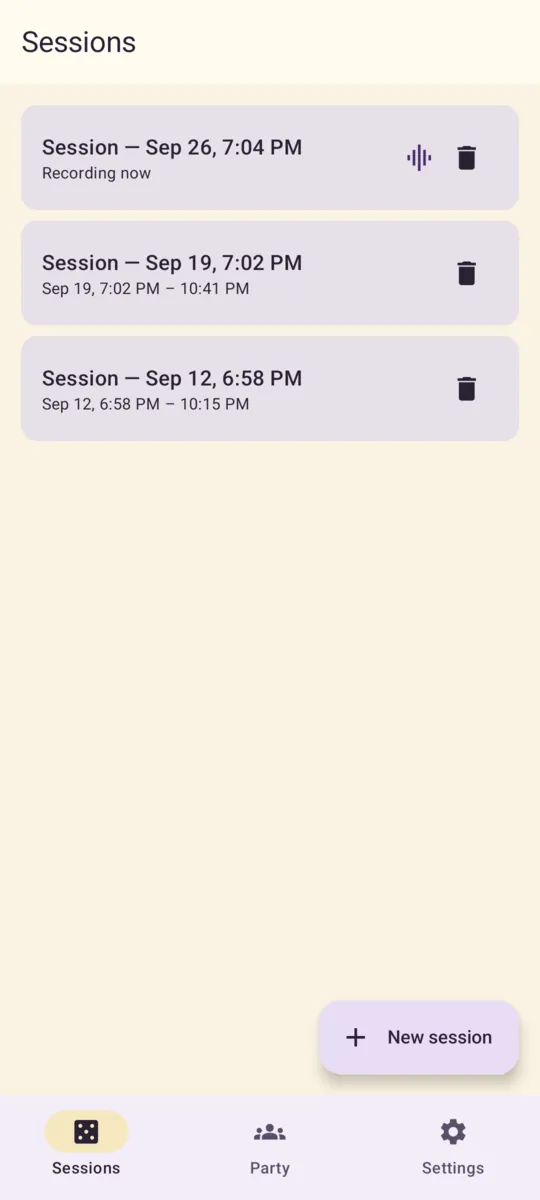
Sessions: saved games listed by start date and time. The one being recorded says “Recording now”, and New session starts another. 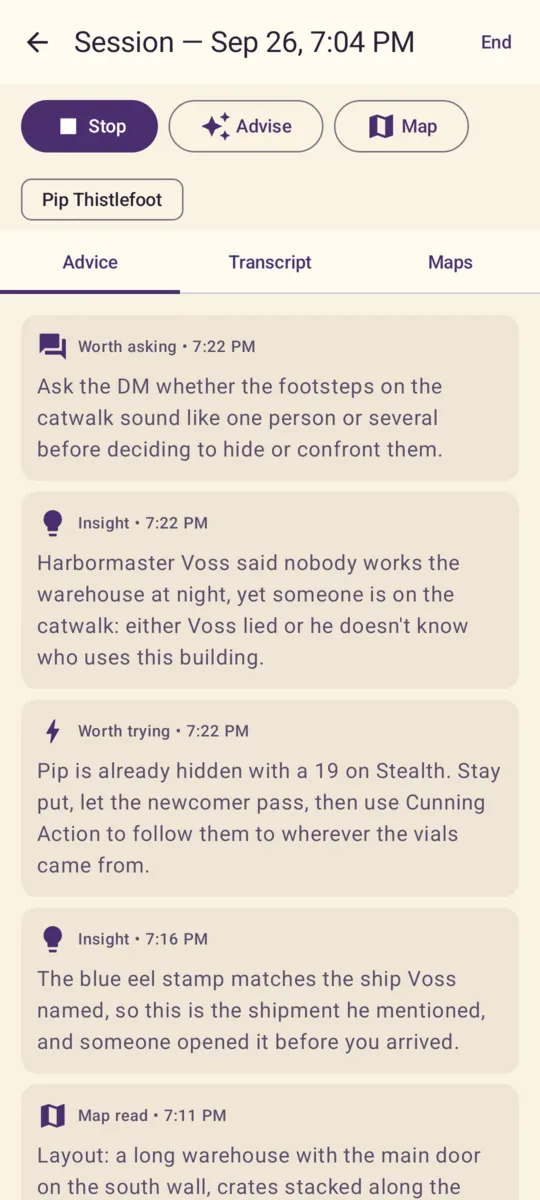
Advice tab during a game: Stop, Advise and Map buttons, the linked character, and tip cards, newest first, marked Worth asking, Insight, Worth trying, Insight and Map read. 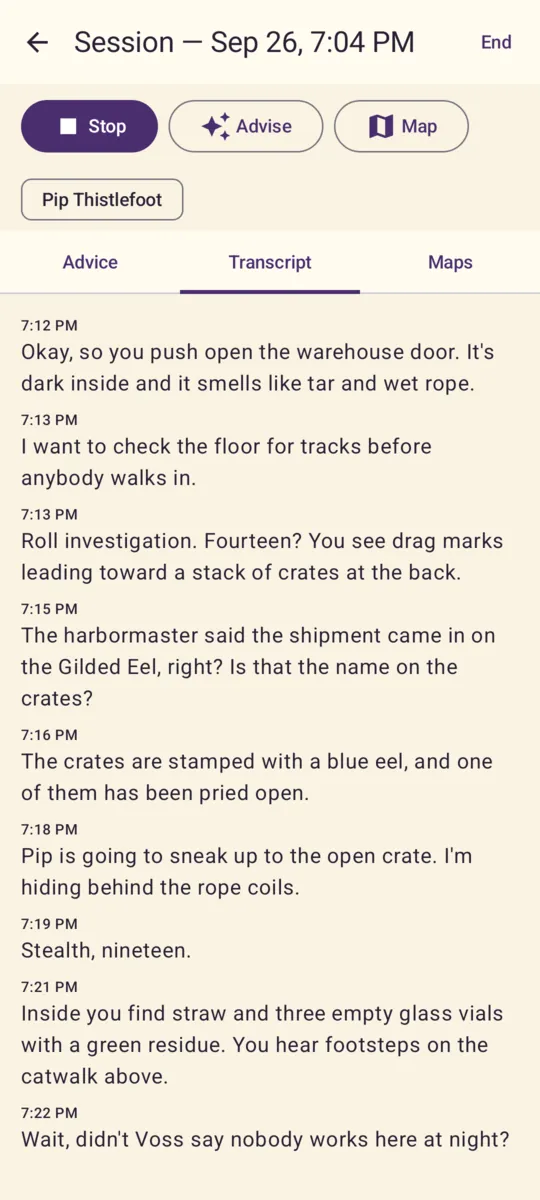
Transcript tab: what was said at the table, in timestamped pieces, oldest first. 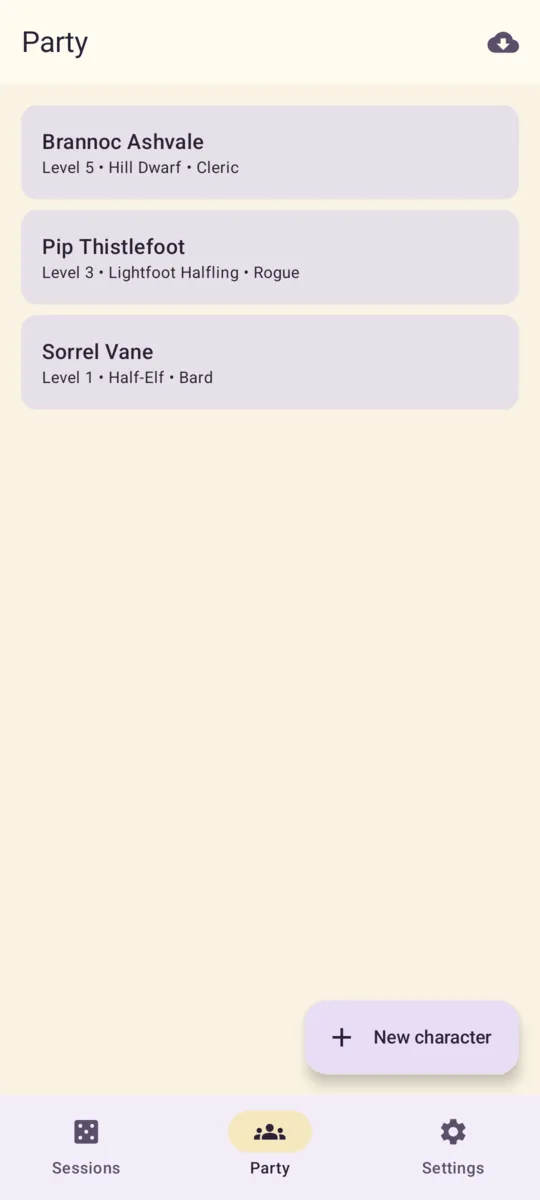
Party: saved characters with level, race and class, a button to add one by hand, and an icon to import one from D&D Beyond. 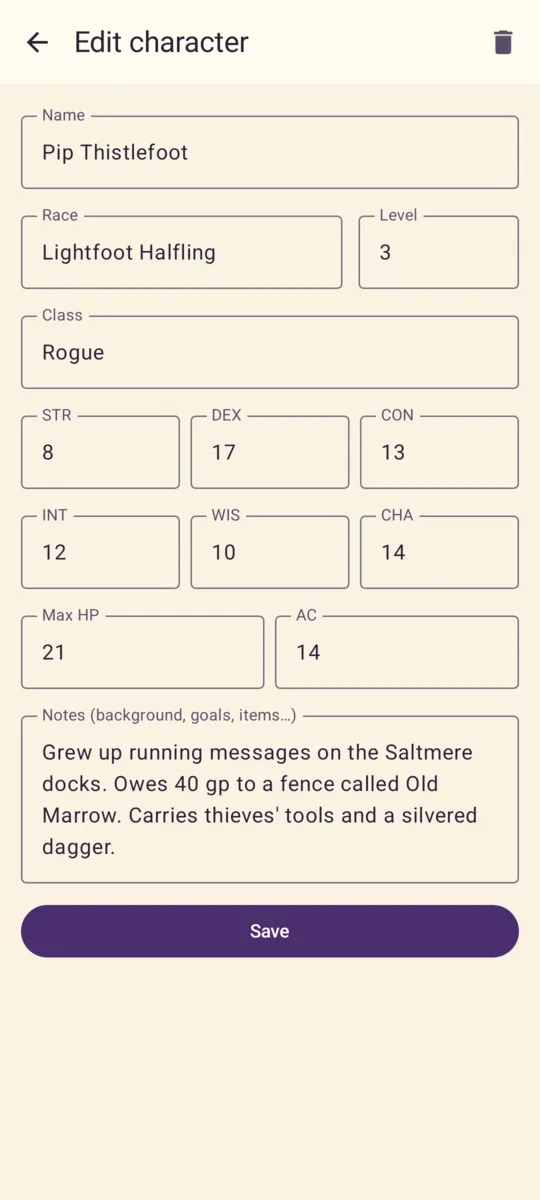
Character editor: name, race, level, class, the 6 ability scores, max HP, AC and notes. When the character is linked to a game, these go along with each request for tips. 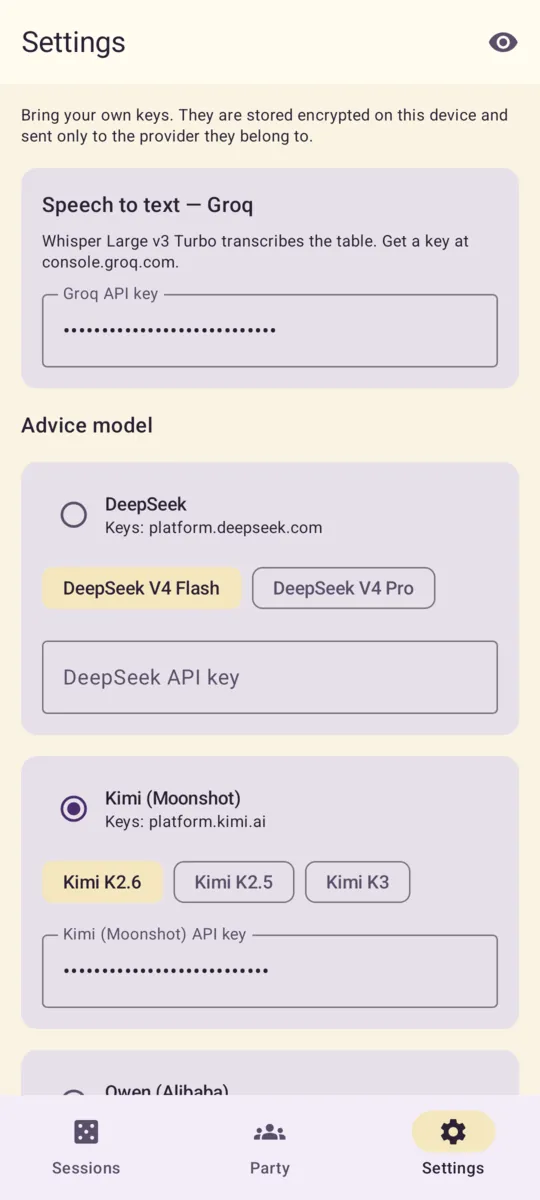
Settings: a Groq key for turning speech into text, then a card for each AI service (DeepSeek and Kimi shown) to pick it, choose a model and enter a key. Keys show as dots until you tap the eye icon.